

External USB/Thunderbolt drives (aka direct-attached storage, or DAS) are a super-convenient way to quickly back up your important files, as well as store any data that you don’t need on your computer’s fast internal storage. They’re also extremely handy for transporting data between locations and devices.
While auxiliary storage and transport are great reasons to buy an external drive, let’s not forget the all-important role an external drive plays for backup — either as the primary backup medium, or the secondary backup to an internal backup drive.
Restoring from local storage is far, far faster than pulling down your data from the web, which is why we are so keen on backing up to an external drive. If your time is important to you, that is.
Whatever your intent, the following are the best external drives we found through our extensive testing. There is something for every purpose in this list.
Crucial X9 Pro – Best 10Gbps external SSD
Pros
- Super small form factor
- Great 10Gbps performance
- Handsome design
Cons
- Not the least expensive 10Gbps SSD available
Price When Reviewed:
1TB:$109.99 I 2TB:$179.99 I 4TB:$239.99
Best Prices Today:

$82

$95.99
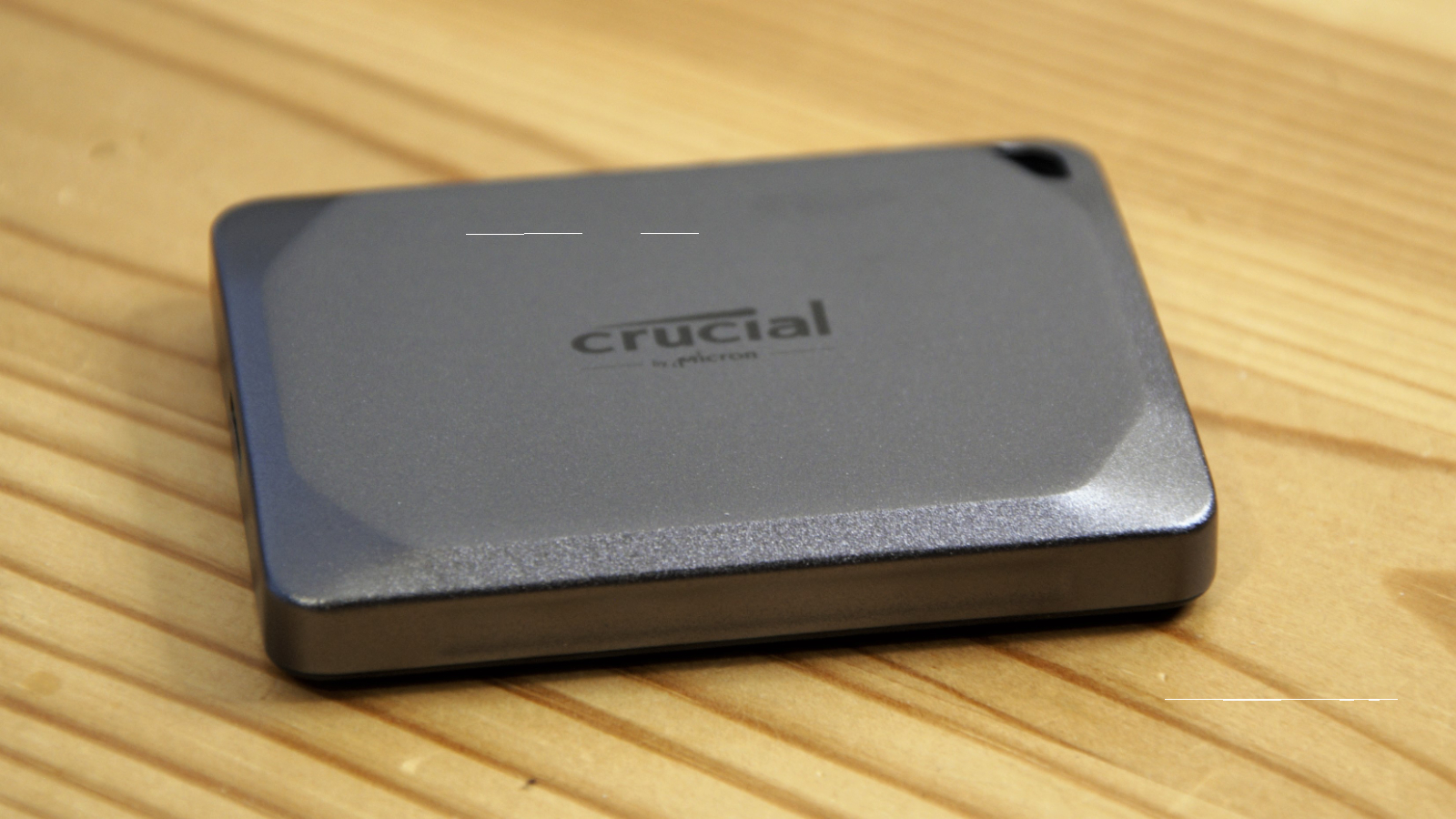
Not everyone wants or needs to spend extra for 20Gbps USB drive performance. The Crucial X9 strikes a compelling balance between 10Gbps performance and affordability that should please the majority of users. In our benchmark tests, it traded top scores with the SK Hynix Beetle (our runner-up choice below), but at a significantly lower cost — making it an indisputable win-win for consumers.
It’s also handsome, described by our reviewer as “a svelte object of desire.” More importantly, it feels well made, and is rated for IP55 dust and spray resistance, so you don’t have to baby this portable drive when you take it into harm’s way.
Alternative option: The Crucial X9 performs neck-and-neck with the SK Hynix Beetle X31 — a handsome little drive in its own right. Previously, this drive was the more pricey of the two, giving the Crucial X9 a slight edge. But it appears the Beetle X31 might be nearing the end of its production life because we are seeing it at a significant savings — as low as $85 for 1TB. This is great news for bargain hunters while supplies last.
Read our full
Crucial X9 Pro review
Crucial X6 Portable SSD (2TB) – Best budget 10Gbps external SSD
Pros
- Ergonomic design
- Good everyday performance
- Very affordable for an external SSD
Cons
- Performance tanks when cache runs out
Price When Reviewed:
500GB: $69.99 I 1TB: $109.99 I 2TB: $99.99 I 4TB: $179.99
Best Prices Today:
$279.99
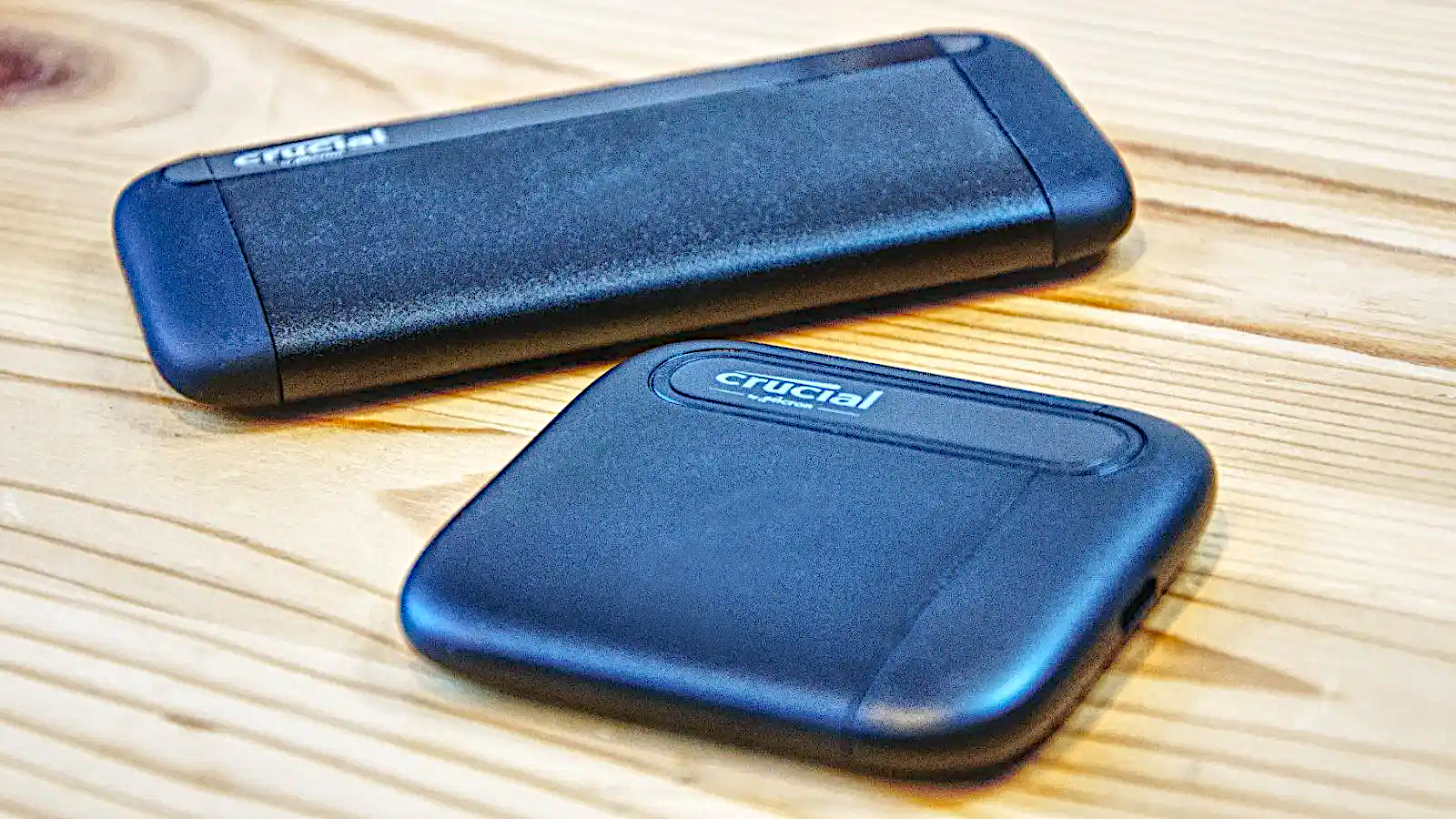
The Crucial X6 Portable SSD is square to be hip (search Huey Lewis). Or placed in your hip pocket, at any rate. In a sea of portable SSDs whose shape and sometimes sharp edges makes them a literal pain when situated in your shirt or trousers, the thin, rounded-edge X6 is a sigh of relief. It’s not state-of-the-art fast, but it’s fast enough for most users and extremely affordable.
Read our full
Crucial X6 Portable SSD review
SK Hynix Tube T31 USB SSD stick – Best thumb drive SSD
Pros
- Fast like an external SSD
- Decently affordable
- Small form factor
- Captive Type-A USB connector
Cons
- Costs more than the common thumb drive
Price When Reviewed:
512GB: $80 I 1TB: $100
Best Prices Today:

$73.99
$81.99
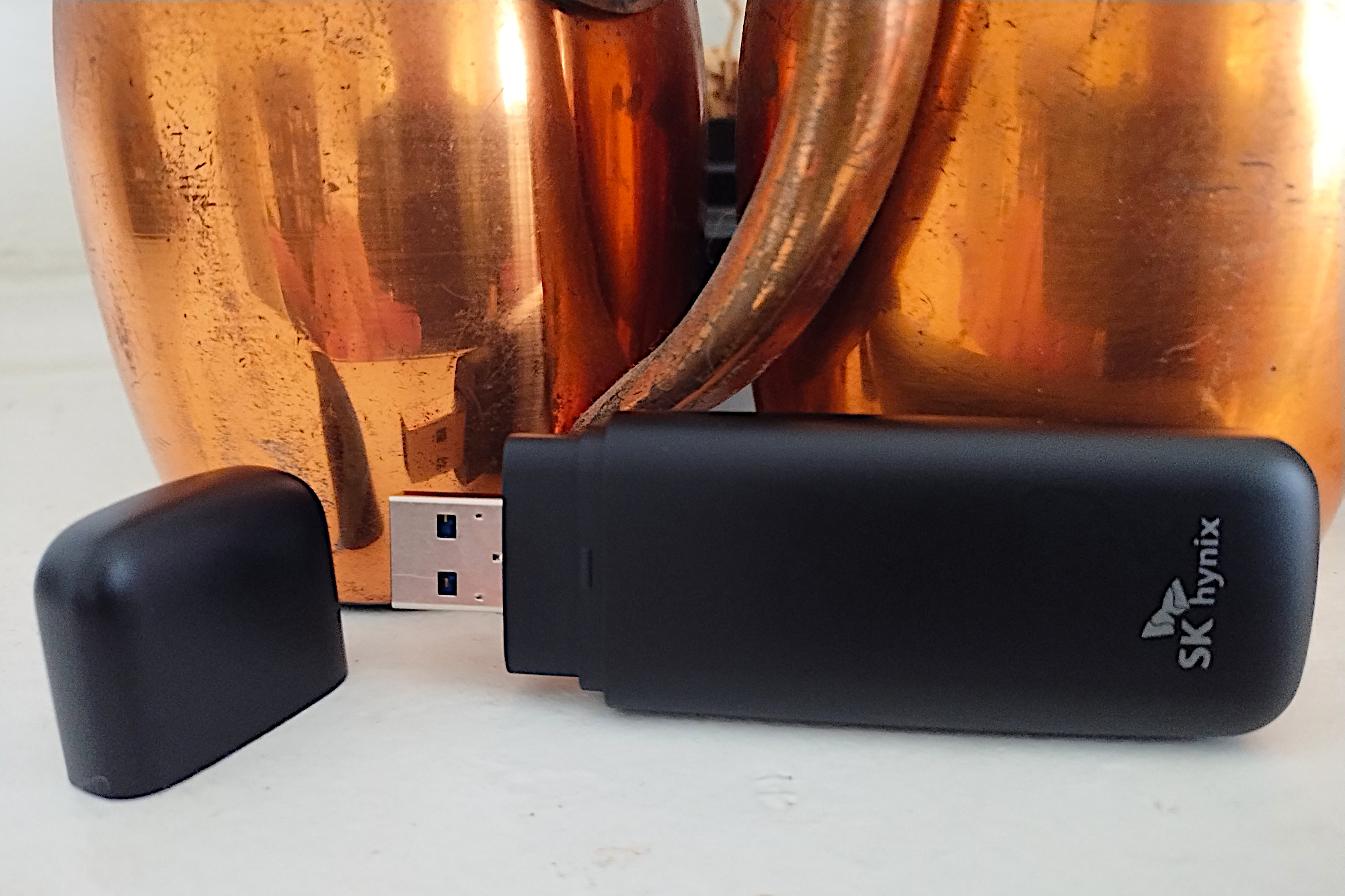
There’s something to be said for the thumb drive form factor. It’s eminently portable, being both small and eliminating the necessity of a connector cable. It’s also versatile as it can slot into the ubiquitous USB-A port.
The SK Hynix Tube T31 combines all that thumb-drive convenience with SSD performance, for the best of the both worlds.
Utilizing 10Gbps NVMe storage internally, the wee Tube T31 performs like a cable-attached SSD, and definitively outperformed other thumb drives in its class. And while it’s priced relatively high compared to a standard thumb drive, it’s priced competitively for its performance.
There’s no better option if fast and cable-free storage is what you’re after.
Alternative option: The Seagate Ultra Compact SSD isn’t quite as fast as the Tube T31, but it’s close. What’s more, it comes with some handy extras, such as free 6-month plans for Dropbox Backup and Mylio Photos, as well as being eligible for free data recovery, making it a compelling alternative.
Read our full
SK Hynix Tube T31 USB SSD stick review
Lexar SL600 – Best 20Gbps external SSD
Pros
- Good 20Gbps performer
- Top bang for the buck
- Five-year warranty
Cons
- 4TB model not yet available
Price When Reviewed:
1TB: $129.99 I 2TB: $175
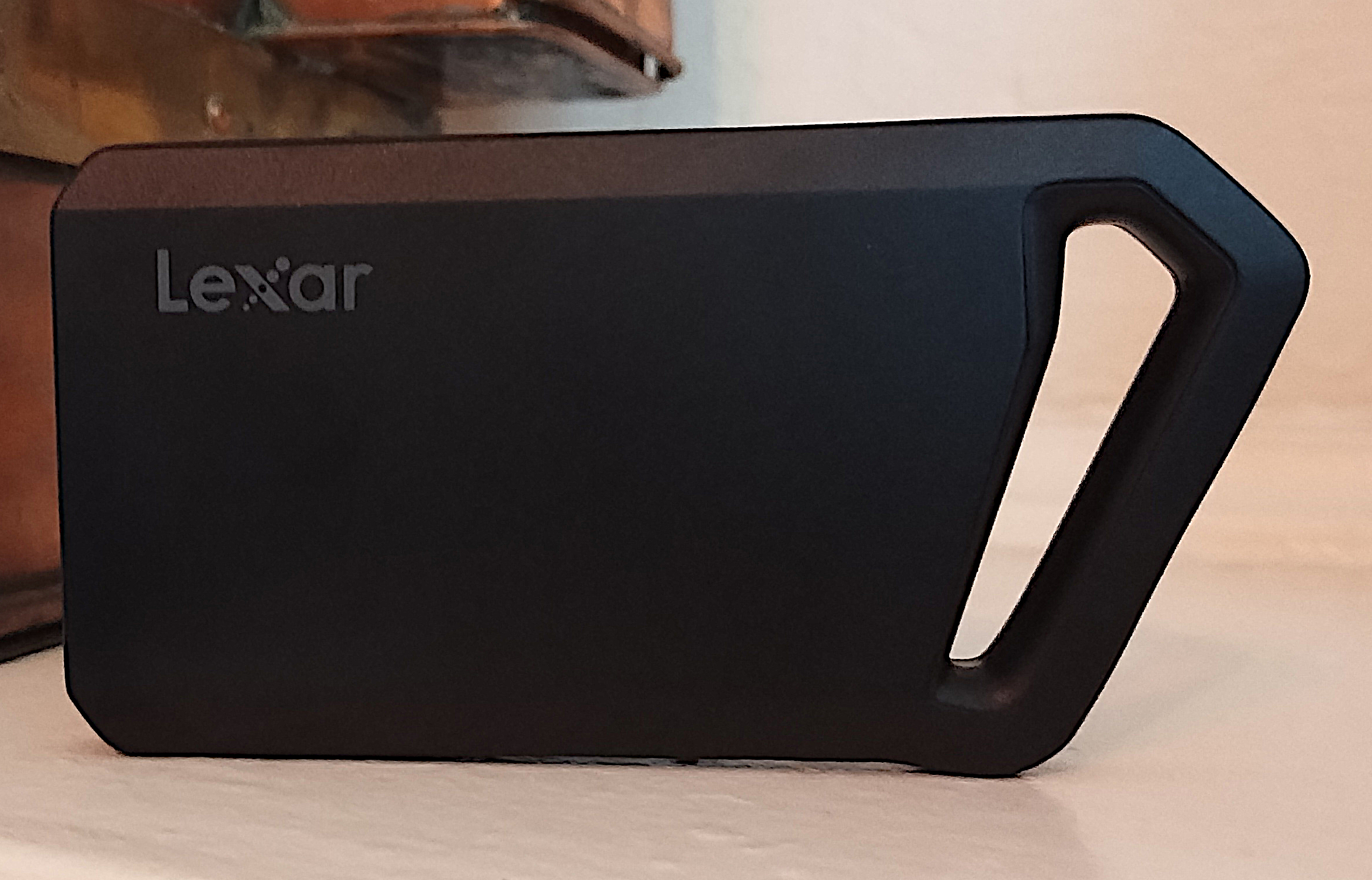
The competition is fierce in the top tier of 20Gbps external drives, with name-brand contenders trading wins up and down our benchmark charts. Nevertheless, a winner is a winner, and cumulatively, the Lexar SL600 edged out our previous champ, Crucial’s X10 Pro, by a hair.
On top of that, it comes in a uniquely shaped form factor, complete with an opening to accommodate a lanyard, if that’s how you roll. You can even take the highly portable drive’s design a step further by opting for the SL660 variant that comes with RGB lighting around its miniature handle. The SL600 is backed by a five-year warranty — two years longer than the norm for external drives.
When performance is this closely matched among products, the determining factor is price. In that respect also, the SL600 is neck-and-neck with the Crucial X10 Pro, and as of this writing, priced slightly to significantly cheaper than many of its competitors — particularly at the 2TB level.
Read our full
Lexar SL600 20Gbps USB SSD review
Teamgroup M200 – Best budget 20Gbps SSD
Pros
- Fast everyday performance
- Available in up to 8TB (eventually) capacity
- Attractively styled
Cons
- No TBW rating
- Company will change components if shortages demand
- Writes slow to 200MBps off cache
Price When Reviewed:
$40 for 256GB | $58 for 512GB | $260 for 2TB | $300 for 4TB
Best Prices Today:
$58.63
$343.99
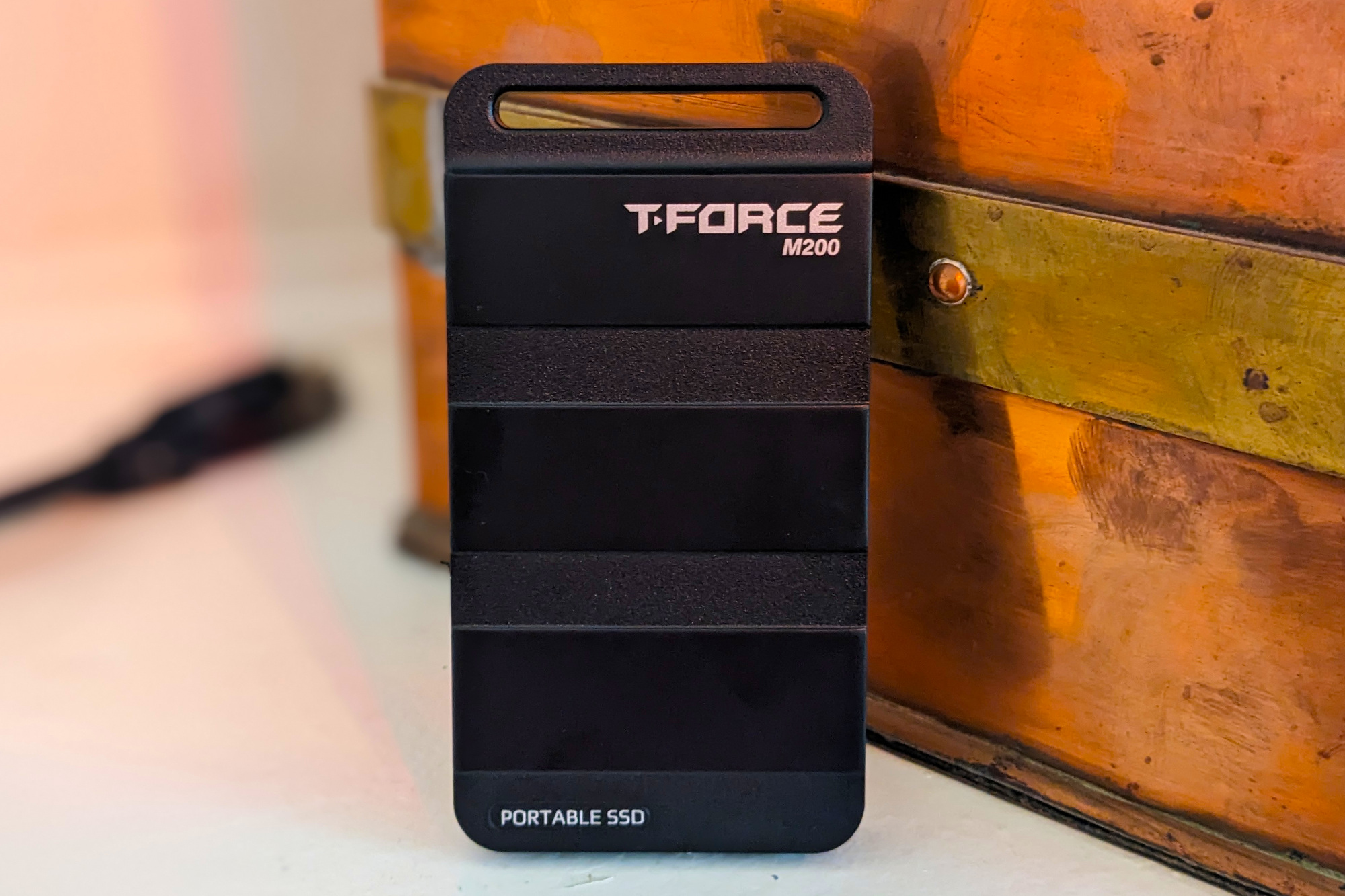
Rated for 20Gbps and selling for $80 with 1TB of storage, the Teamgroup M200 is an attractive (in a military fashion) external drive for the budget-conscious performance enthusiast.
It might not be as cheap as the Crucial X6, but for the extra outlay you get outstanding everyday performance. In many tests, it’s the fastest 20Gbps drive we’ve ever tested. At just 4.13-inches long and 2.18-inches wide and weighing under 3 ounces, it’s also extremely portable and its slick combat-styling will appeal to gamers.
Read our full
Teamgroup T-Force M200 20Gbps USB SSD review
Adata SE920 – Best USB4 external drive
Pros
- Fastest external storage we’ve tested (at 40Gbps)
- Affordable for the ilk
- Stylish enclosure
- Available up to 4TB
- Also fast on the Mac
Cons
- Pricier than USB 3.2×2 (20Gbps)
Price When Reviewed:
1TB: $140 I 2TB: $200 I 4TB: $380
Best Prices Today:
$159.99
A USB4 external SSD isn’t for everyone. Not only does your PC need to support the spec in order to take advantage of the 40Gbps transfers, but you pay a premium for the privilege.
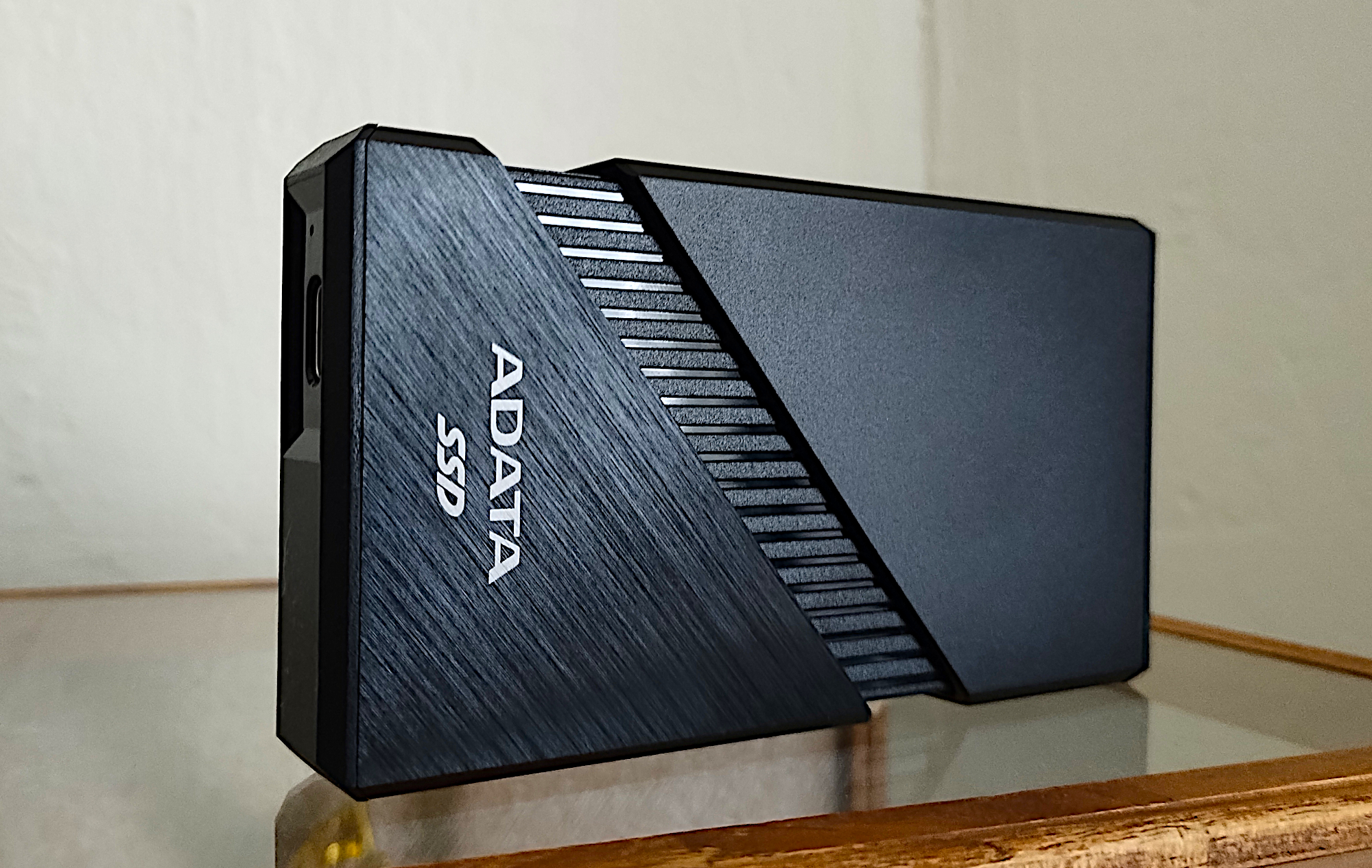
If you’re ready to enter the club, the Adata SE920 will reward you with the fastest USB4 performance we’ve experienced, and at a much more affordable price than our previous pick for USB4, the OWC Express 1M2 — we’re talking $180 for a 1TB Adata SE920 versus $250 for the OWC drive. And if you want a lot of capacity, the Adata SE920 comes with up to 4TB, for $500.
We were also impressed by the SE920’s nifty built-in fan, which is activated when you slide open the enclosure as shown above. This kept our drive noticeably free of heat during our benchmark tests.
The SE920 is also quite portable at 4.13 inches long by 2.52-inches wide by 0.62-inches thick, and 7 ounces — another advantage it has over the bulkier OWC Express 1M2. A clear choice for our top USB 4 external SSD.
Alternative option: You can get record-breaking performance by rolling your own USB 4 external SSD, using Ugreen’s CM642 enclosure. In our tests, the $110 enclosure combined with an NVMe SSD bested the performance of the two external USB 4 SSDs above.
Read our full
SE920 External SSD review
SanDisk Desk Drive 10Gbps – Best external SSD for backups
Pros
- Available in large 4TB and 8TB capacities
- Good 10Gbps performer
- Attractive and unusual, if somewhat large, heat-shedding design
Price When Reviewed:
4TB: $250 I 8TB: $700
Best Prices Today:

$289.99
$289.99

$289.99
$289.99
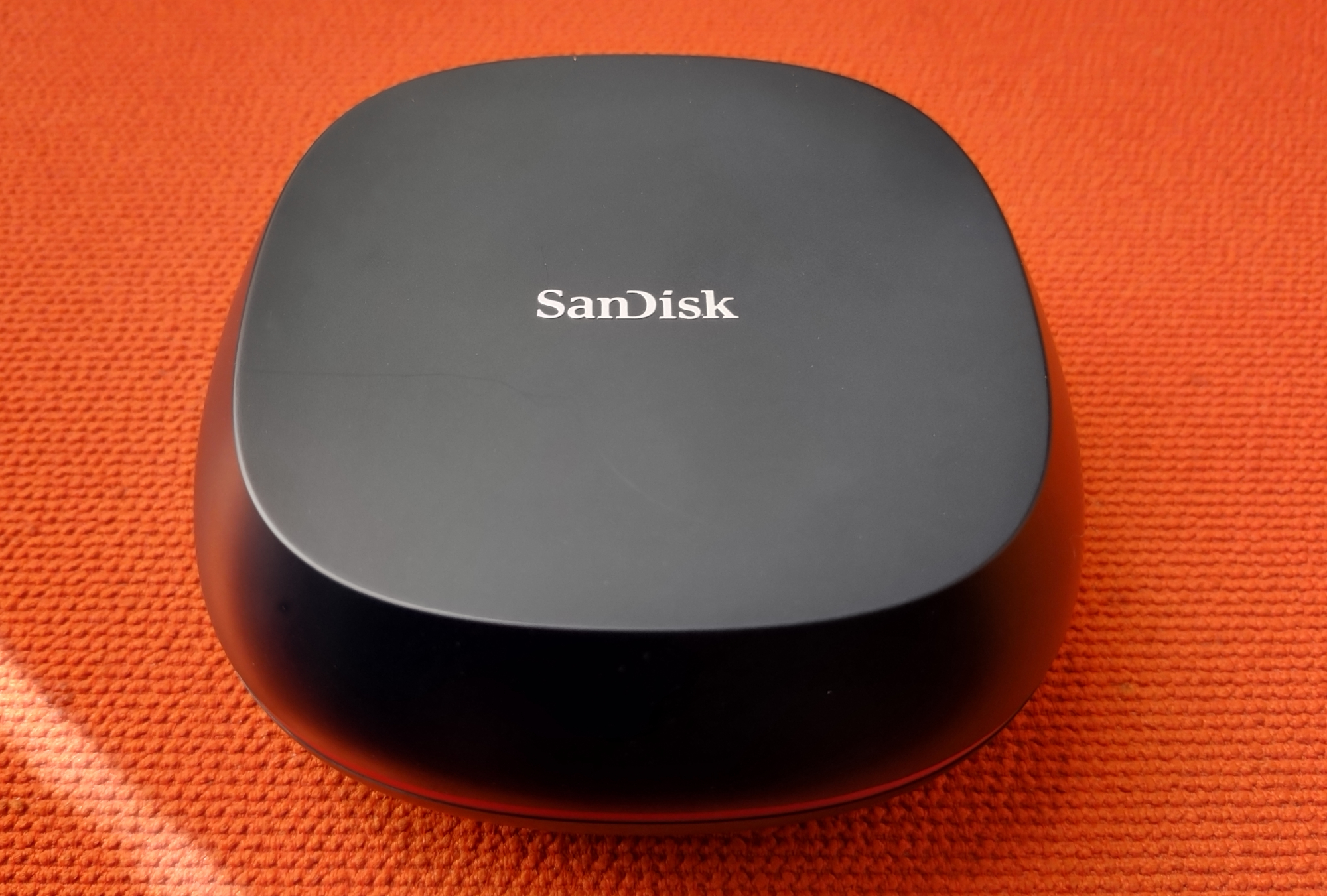
As the name suggests, unlike many of the external drives on this list, the SanDisk Desk Drive isn’t particularly portable. Not only is it too bulky for a pocket or laptop bag, it also requires an AC adapter.
That however, doesn’t detract from its utility, as the Desk Drive is really aimed at users with more sedentary workflows for auxiliary storage and backup. That’s also evident in the fact that it only ships in 4GB and 8GB capacities, priced competitively at $280 and $500, respectively.
Granted, that’s a lot more per-gigabyte than you’d pay for a backup hard drive. But with the Desk Drive you get brisk 10Gbps performance, and the assurance that comes from an SSD’s lack of moving parts, i.e. susceptibility to shocks. In other words, its speed, ruggedness, and reliability make it worth more an HDD.
Read our full
SanDisk Desk Drive 10Gbps USB SSD review
WD My Passport, Works with USB C – Best portable hard drive
Pros
- Up to 6TB of capacity
- Super-low price per terabyte
- Good looking and portable
Cons
- Micro-B, not Type-C as intimated
- Hard drive level performance
Price When Reviewed:
2TB: $85 I 4TB: $135 I 5TB: $150 I 6TB: $185
Best Prices Today:
$79.99
$79.99
$79.99

$79.99
$89.99
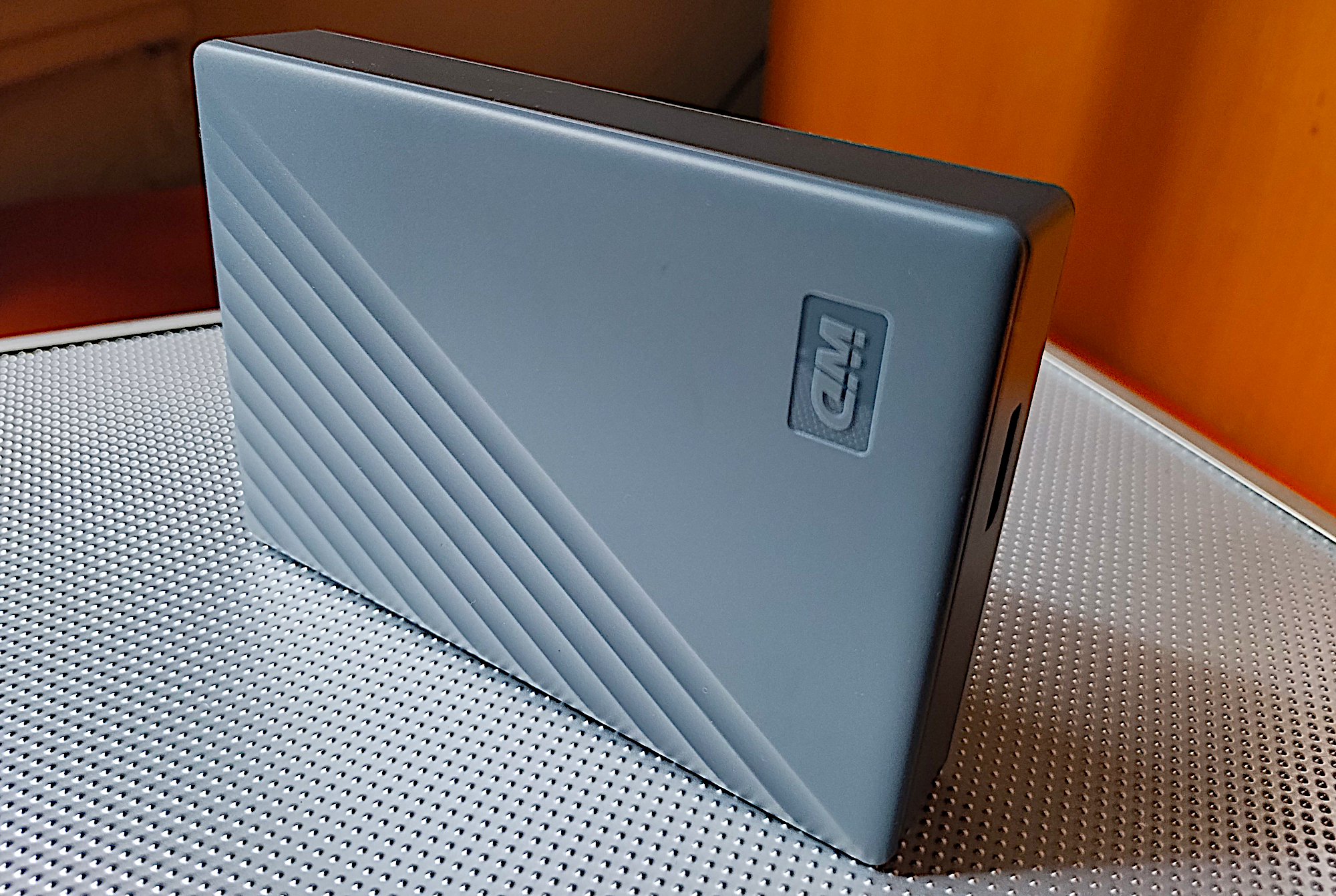
We can forgive the cumbersome name, and the fact that this drive, misleadingly, doesn’t actually use a USB-C connector, because there are other more substantial ways that it pleases us.
For starters, the WD My Passport, Works with USB-C offers a ton of capacity — up to 6TB — and at a far more affordable price per terabyte than one can get from an SSD (around $30/TB versus twice that for the latter). This makes the WD My Passport a natural fit for backup needs, particularly since those can be timed during off hours, mitigating the need for an SSDs superior speeds.
As for the misleading moniker, the My Passport does indeed work with USB-C, but it’s by way of the drive’s standard SuperSpeed Micro-B port, using the included Micro-B to Type-A cable and a bundled Type-A to USB-C adapter. Mind you, WD’s My Passport Ultra series, which actually do feature a USB-C port, don’t perform any faster than this drive, and cost a bit more.
In fact, the My Passport performs on par with the best of 2.5-inch hard drives we’ve tested, while being the best deal. If it’s a portable, high-capacity hard drive that you’re after, this is the one to pick.
Read our full
WD My Passport, Works with USB C review
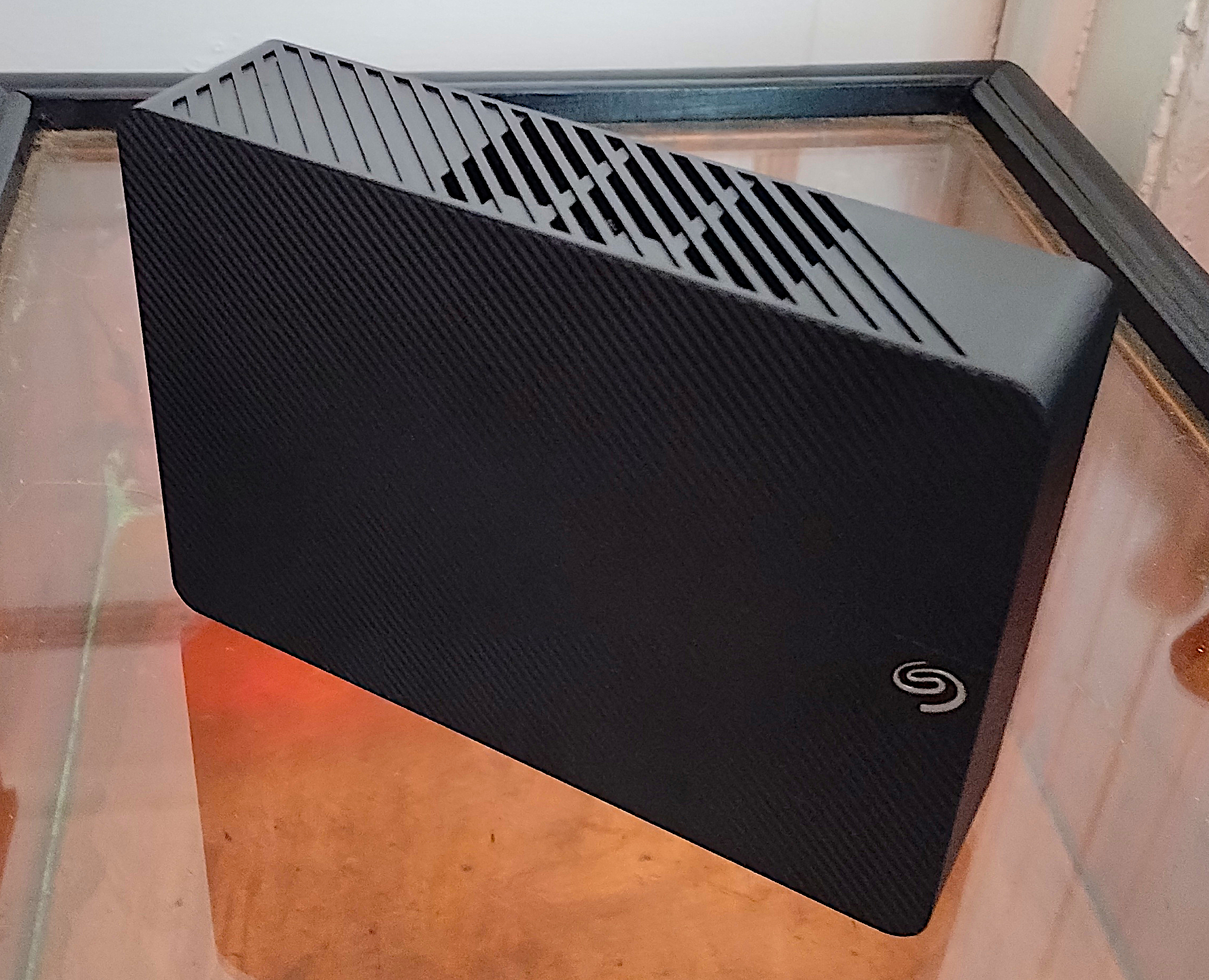
Seagate Expansion Desktop – Best desktop hard drive
Pros
- Super-low price per terabyte
- Up to 24TB total capacity
- Good looking
- Twice as fast as 2.5-inch external HDDs
Cons
- Slow compared to SSDs
- Requires AC adapter
Price When Reviewed:
4TB: $120 I 6TB: $110 I 8TB: $160 I 10TB: $270 I 12TB: $300 I 14TB: $430 I 16: $230 I 18TB: $250 I 24TB: $540
SSDs have certainly been a game changer in storage, but there are still times when a hard drive is the right tool for the job — and an unbeatable value. Such as when you need more capacity for your digital stuff than an SSD can provide.
Enter the 3.5-inch Seagate Expansion Desktop, which delivers up to 24TB of capacity — three times the current maximum for SSDs. It also delivers twice the sustained transfer rate of 2.5-inch external hard drives — our 16TB test unit read and wrote at close to 280MBps.
As mentioned, all this storage comes at a very competitive price point, hovering around $20 per terabyte, compared to the $70 per terabyte an SSD costs. Our only caveat is that HDDs are more fragile, and important data on them should be backed up regularly.
As we said in our review of the drive: “If you deal with large amounts of data, you can’t beat a high-capacity hard drive for gathering it into one place.” This is the drive we’d pick.
Read our full
Seagate Expansion Desktop review
Other notable external drive reviews:
The PNY Duo Link V3 is a good-performing 10Gbps thumb drive with a handy dual-link; the Addlink P30‘s uber-small form factor, good performance, and super-low price make it one of my favorite USB4 SSDs; the Sandisk Extreme Pro SSD with USB4 is handsome, rugged, feels great in your mitts, and is decently affordable for USB4 — but connection issues might affect some users; the Seagate Ultra Compact SSD 10Gbps USB thumb drive delivers far better performance than generic 5Gbps or 400Mbps types and comes with some perks, such as free data recovery; the Lexar Go w/Hub is a pricey 10Gbps mobile drive that adds up to 2TB of storage and extra USB ports to your phone; the Corsair EX400U is not the fastest 40Gbps SSD out there, but this light and compact drive is very affordable and far more compatible across PCs and Macs than 20Gbps USB 3.2×2 SSDs.
How we test
Drive tests currently utilize Windows 11, 64-bit running on an X790 (PCIe 4.0/5.0) motherboard/i5-12400 CPU combo with two Kingston Fury 32GB DDR5 4800MHz modules (64GB of memory total). Both 20Gbps USB and Thunderbolt 4 are integrated to the back panel and Intel CPU/GPU graphics are used. The 48GB transfer tests utilize an ImDisk RAM disk taking up 58GB of the 64GB of total memory. The 450GB file is transferred from a 2TB Samsung 990 Pro which also runs the OS.
Each test is performed on a newly formatted and TRIM’d drive so the results are optimal. Note that in normal use, as a drive fills up, performance may decrease due to less NAND for secondary caching, as well as other factors. This can be less of a factor with the current crop of SSDs with far faster late-generation NAND.
Caveat: The performance numbers shown apply only to the drive we were shipped and to the capacity tested. SSD performance can and will vary by capacity due to more or fewer chips to shotgun reads/writes across and the amount of NAND available for secondary caching. Vendors also occasionally swap components. If you ever notice a large discrepancy between the performance you experience and that which we report, by all means, let us know.
To learn more about our testing methodology see PCWorld’s article on how we test external SSDs.
Why you should trust PCWorld for VPN reviews and buying advice
It’s in our name! PCWorld’s reviewers have been testing PC hardware for decades. Our storage evaluations are thorough and rigorous, pushing the limits of every product — from performance benchmarks to the practicalities of daily use. As PC users ourselves, we know what makes a product stand out. Only the best external drives make this list.
Who curated this article?
Jon Jacobi has witnessed storage morph from punch cards and tape to solid state. He’s been using and testing HDDs, SATA SSDs, and NVMe SSDs for PCWorld for well over two decades. To paraphrase a well-known commercial, you might say he’s seen a thing or two.
How to choose the best external drive

Yes, USB 4 will provide the same massive throughput as Thunderbolt 3 at lower prices eventually, and likely far more products too.
Capacity versus price
For most consumers, the primary shopping criteria for external storage are capacity and price. However, while you might think that the lowest-cost drives provide the most value — most often, they don’t. In fact, dollar for dollar, cheaper low-capacity drives have always been the worst deal in terms of price per terabyte.
You can see the phenomena in the charts below where we compare the popular WD Elements desktop hard drive’s available capacities and prices. You’re paying more than twice as much per terabyte for the lowest-capacity drive versus the next step up. It’s almost as bad on the WD Elements Portable drive.
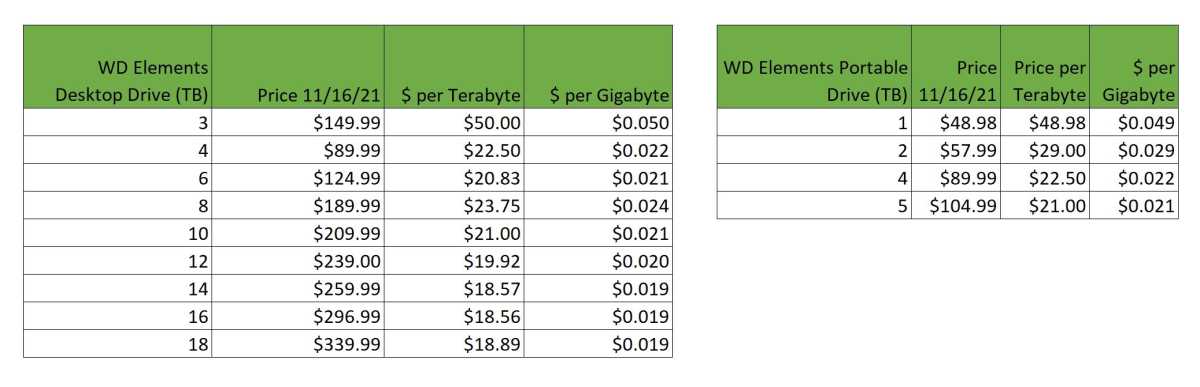
The worst value for an external hard drive is typically the lowest-capacity drive.
IDG
The best “value,” as you can see, typically means the most capacious hard drives. But it also means higher total cost, and not everyone needs maximum capacity.
How much storage capacity do you need?
So how much storage do you actually need? For backup, we recommend a drive that’s at least twice the capacity of the total amount of data residing on your PC’s internal storage.
If you have 1TB of storage in your PC, a 2TB drive allows you to make a full backup while keeping previous versions, as well as additional differential and incremental backups. I.e., the larger the capacity, the more backups over a longer period of time you can keep, or the more PCs you can back up to the same drive.
While a desktop hard drive (read 3.5-inch) provides far more capacity (up to 30TB currently if you’re a data center), it also requires a power cable, weighs more, and generally won’t be as shock resistant as a portable 2.5-inch hard drive. The latter is designed to take bumps, even when powered up. Then again, if you really want rugged — go the SSD route.
Interface
The vast majority of external drives today are USB drives. However, USB comes in many flavors: 5Gbps, 10Gbps, 20GBps, and — eventually with USB 4 — 40Gbps, as with Thunderbolt 3/4. Ignore the version number (3.x) and look for the speed. BTW, add two zeroes to any of those numbers and you have the approximate real-world MBps.
The USB Forum has changed its nomenclature to indicate throughput speed — SuperSpeed USB 5Gbps (formerly USB 3.x gen 1), SuperSpeed USB 10Gbps (formerly USB 3.x gen 2), and SuperSpeed USB 20Gbps (formerly USB 3.2 2×2). For the sake of brevity (and our sanity), we generally shorten those to, for example, USB 10Gbps, 10Gbps USB, 10Gbps etc.
All single USB hard drives use the slower USB 5Gbps standard. No hard drive, unless combined with other drives in RAID 0 or above, can saturate even the 5Gbps interface (roughly 500MBps real-world after overhead).
Where SuperSpeed 10Gbps/20Gbps, USB 4, or Thunderbolt are of value is with the aforementioned RAID hard drive setups, or more likely, an SSD. USB 10Gbps is fast enough for most users, and getting cheaper by the week. A 10Gbps Samsung T7 Shield can be had for $80 in its 1TB capacity.
Faster USB 20Gbps (Gen 2×2) doubles throughput, but moves you into a higher-price bracket, with the Seagate Firecuda Gaming SSD costing $100 for only 500GB of storage. Although far faster than 5/10Gbps, there still aren’t a lot of 20Gbps USB 3.2×2/USB4 ports out there.
Thunderbolt 3, the newer Thunderbolt 4 (almost exactly the same thing with stricter implementation requirements), and the upcoming Thunderbolt 5 are the highest-performing interfaces for external storage. The key negatives are the premium pricing and a general lack of compatibility with the far more popular USB.
Note that Thunderbolt ports generally support everything up to USB 3.2 and even USB 4, but interestingly, not 20Gbps USB 3.2×2, which will perform at 10Gbps. This may change with Thunderbolt 5, but don’t buy a USB 3.2×2 drive unless you have that specific port type.
There are dual Thunderbolt/USB SSDs available such as the Sandisk Pro-G40. The G40 is pricey at $160 for 1TB, but a fantastic drive for those who can afford it. Pure Thunderbolt external SSDs can be even pricier, as they’re almost all sold by Mac-oriented boutique vendors such as OWC and Sabrent.
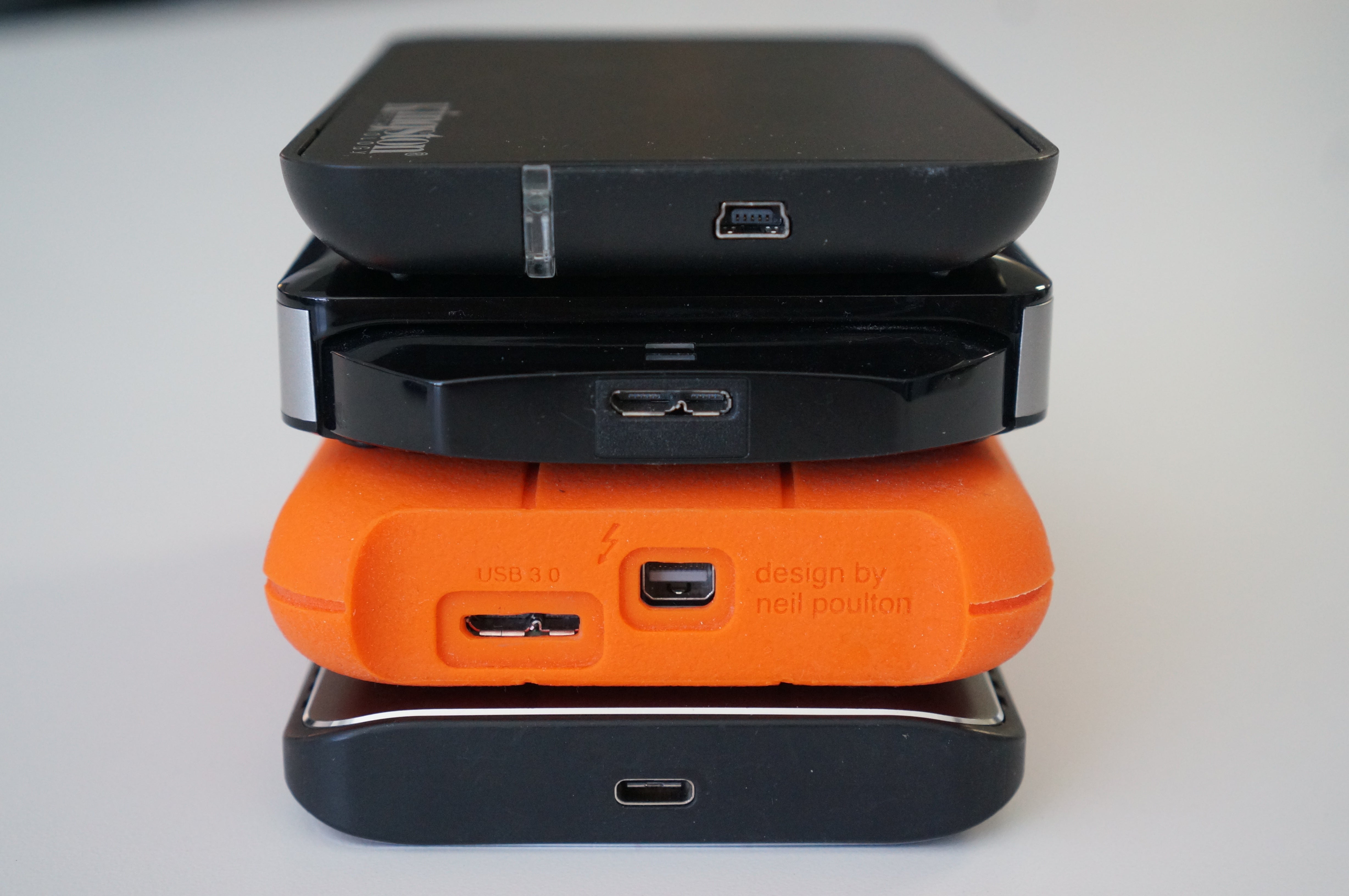
The top drive uses the older, slower Mini-USB interface. The second drive features the connector that replaced it: Micro B SuperSpeed. The Orange drive features both a SuperSpeed Micro B and Thunderbolt 2 (mini DisplayPort connector). The bottom drive features USB-C or USB Type C.
Connections
The type of port you find on external drives varies (see the image above), though the industry is gradually (and thankfully) consolidating on the orientation-agnostic Type-C connector. Here’s the list of connectors you might find on your drive:
USB 3 Micro-B is the wider, flatter port that’s still very common on many lower-cost portable and desktop external hard drives. It’s actually the same Micro USB port used on your phone, but with more data lines to hit USB 3.0 speeds. It’ll do 5Gbps and is fine for hard drives and SATA (internally) SSDs. Micro-B cables are generally Type-A on the PC end.
USB 3 Type-B is the larger, squarer version of USB 3.0 Micro B. Type B ports are becoming rare, though you might find one on older 5.25-inch enclosures, printers, and scanners. It supports speeds up to 5Gbps and cables are generally Type-A on the PC side.
USB Type-C or simply Type-C is the latest USB connector and the one the world is standardizing on. It’s small, easy to insert, and you don’t have to worry about which side faces up as with Type-A.
Keep in mind that Type-C refers only to the connector itself. What is carried over the wires varies greatly: USB 2.0 High Speed (480Mbps) to USB 3.2 SuperSpeed 20Gbps, as well as USB 4 and Thunderbolt 3 and any combination of them.
USB Type-A: You won’t find this familiar rectangular port on any drive, but you will still find it on plenty of PCs and laptops as well as the male version on the other end of most Type-B and Type-C adapter cables.
Thunderbolt 2 is dead at this point. It’s found on older Macs, but even Apple put it out to pasture in 2017. There’s no need to invest in a Thunderbolt 2 drive unless it’s for legacy support issues. That said…
…Apple sells a bi-directional Thunderbolt 1/2 to 3 adapter if you need to connect the one generation to the other. The adapter does not, however, carry power, so bus-powered external drives (no power jack) will require a powered dock.
eSATA is another legacy port that’s disappeared from newer devices. Created for attaching external storage to your computer’s SATA bus, eSATA was a cheap way in its day to move beyond the toddling 60MBps performance of USB 2.0.
5Gbps USB 3.0 put the last nail in eSATA’s coffin. As with Thunderbolt 2, the only reason to invest in an eSATA drive is for use with older computers.
Multiple drives for backup?
We discussed the rule of three for backup, but while the cloud is a great offsite option, you can also manage that with multiple external drives — storing them in different locations. Once upon a time, I used to regularly send copies of my recordings to my mom’s for safe-keeping.
If you’re using your external storage as a primary repository for important data, then you should have a second drive as a copy. You might even consider a dual-drive enclosure and run them mirrored, i.e. the same set of data written simultaneously to both. SSDs aren’t nearly as prone to mishap as hard drives, but even then…
Simply put, keep your data backed up!
For more guidance on building out the best backup plan possible, see our roundups of the best cloud backup services and best Windows backup software.
External drive FAQ
What is the difference between an SSD and an HDD?
HDDs (hard disk drives) have been around for more than 50 years. They are essentially boxes containing spinning platters with read/write arms that skim across them to detect the orientation of, or re-align particles in, the magnetic material that coats the platters.
SSDs (solid state drives), on the other hand, use flash memory and have no moving parts inside the drive. Data is instead stored in cells — aka, voltage traps — which are interconnected in a matrix. The matrix approach allows for data to be pushed or pulled to/from many different places at once and significantly increases both read and write speed — on the order of 100 times faster these days.
Generally speaking, SSDs are a better bet for your external drives due to their smaller size, faster speeds, and far superior ruggedness and durability. The main drawback to SSDs is that you pay quite a bit more per terabyte of storage. As technology and production techniques improve, the price of SSDs has and will continue to drop.
How often should you back up your data?
Ideally, you should back up your data as often as possible. This is especially true if you are working on an important project or have data that you absolutely cannot afford to lose.
If you have your external hard drive connected to your computer at all times, it is a good idea to automate the backup process and have the drive back up your data as it changes, or every hour or so. Otherwise, connect and back up at least once a day. See our roundups of the best Windows backup software and the best online backup services to learn more.
Why does Windows say my external drive is smaller than specified?
This is because of the difference between the binary and decimal number systems, their nomenclatures, and a Microsoft miscue. Your 2TB drive indeed has two trillion bytes of storage, and if you look a the byte count that Windows displays in a drive’s properties dialog, this should be what you see. This in the International System of Units (SI/decimal) is two terabytes, or 2TB. This is the standard language vendors use as consumers are far more familiar with base 10.
However, Windows uses the newer International Electrotechnical Commission (IEC) binary multiples 2^10 (Kibibyte/KiB), 2^20 (Mebibyte/MiB), 2^30 (Gibibyte/Gib). Binary multiples are larger numbers (one KiB is 1,024) so when Windows divides the total bytes by the IEC system, the you get something like 1.8TiB for a 2TB drive. Alas, Windows labels this as 1.8TB, misleading the user.
Other reasons you might not see as much available storage in the properties tab are formatting or partitioning. The file system uses some storage for file location and size info, etc. Also, some drives come with a small partition containing software so the main partition will be smaller than the drive’s total capacity.
How long does an external drive last?
The lifespan of an external hard drive can be anywhere from three minutes to 10 years depending on make and model, as well as the amount of use and operating environment. They’re mechanical devices subject to wear and susceptible to shock damage, so they should be kept cool and treated gently. Reliability has increased dramatically over the last decade.
Alas, judging the likely lifespan of an external hard drive is a crap shoot. Of course check the warranty, but the MTBF (Mean Time Before Failure) number is generally considered fantasy within the industry. Peruse user feedback which can provide insight into long term usage, and keep your ears peeled for strange noises, your fingers crossed, and don’t drop the thing! Our best guess is that you should get at least five years with careful handling.
SSDs don’t wear out or break mechanically, but their cells can only be written to so many times. SSDs generally have a TBW (terabytes that may be written) rating, but this is rarely provided by vendors for external SSDs. Hint: They may not use the same SSD inside throughout the product lifespan.
Most internal M.2 NVMe TLC SSDs are rated for around 600TBW per terabyte, and QLC types for around 200TBW, though the type of NAND in use is also rarely provided by vendors. That’s a lot of data, and a lot of SSDs are rated well below what they might achieve. You can guesstimate by using a utility to see how much data you write to an SSD a day and then doing the math.
External SSD warranties are generally between three and five years, but as with all such things, it’s a financial risk calculation for the company. As is the TBW. Our best guess based on experience is perhaps a decade. However, certain models have had issues long before that — generally due to a flaw or failure in the bridge chip or controller.
How do external drives fail?
There are a few of ways that an external hard drive might fail. The motor might quit, the read/write heads might crash into the platter surface due to shock while operating, or the electronics might overheat and go belly up. You might get a warning in the form of strange noises such as a scraping or grinding sound. If the data is particularly important, turn it off immediately and call a recovery service. That scraping sound may be the coating on the platter being removed by a crashed head. This is unrecoverable. If you keep running it, back it up immediately and replace it.
SSDs generally go belly up due to the increasingly rare controller failure, which is a relatively easy fix/reset for someone who knows the SSD’s internals such as a recovery service. SSDs will also eventually wear out, though this only precludes further writing to the unit. You can still read what’s on the drive, so it’s not the disaster a HDD failure can be.